Aircraft System Dashboard
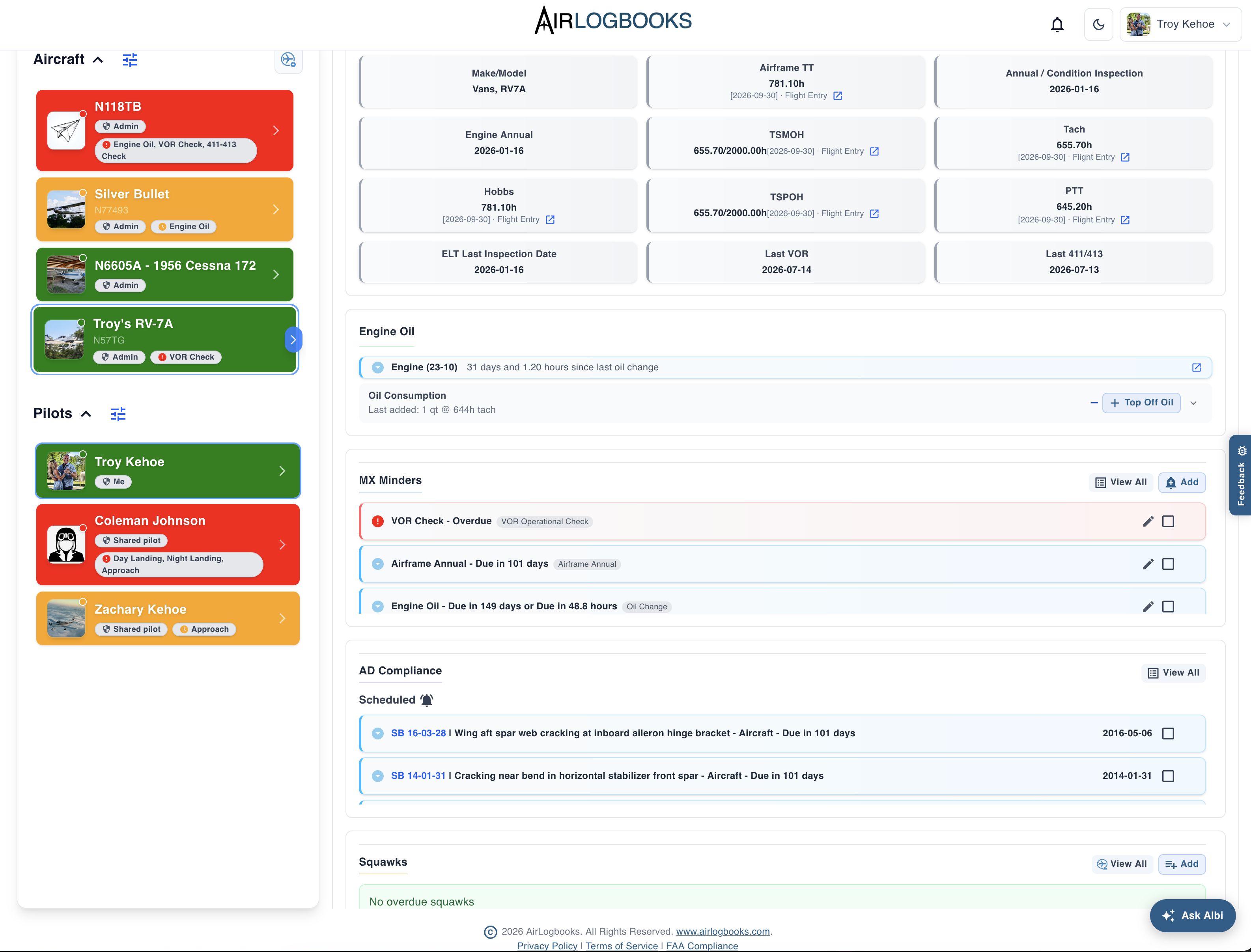
Aircraft status — clear at a glance.
- Aircraft time, inspections, and AD status
- Maintenance tracking and due items
- Aircraft and pilot status indicators
All your aviation logbooks. One connected system.
Log a flight once — the aircraft record updates automatically.
Total time, engine/prop time, ADs, maintenance reminders, oil changes, and oil consumption stay connected to your recorded flight and maintenance activity.
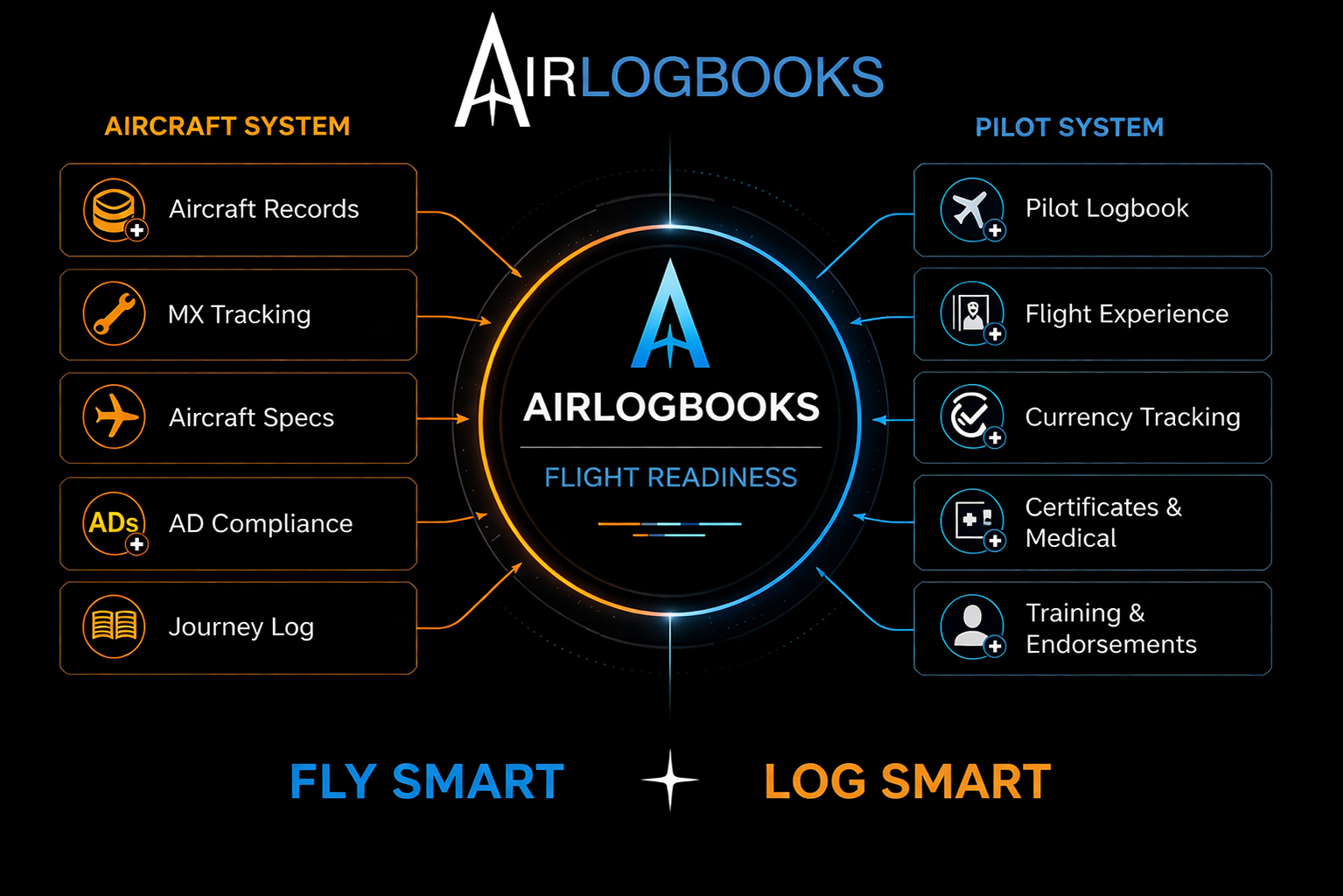
From maintenance history to flight experience—your dashboards show where you stand, and your logbooks keep the details together.
Aircraft status — clear at a glance.
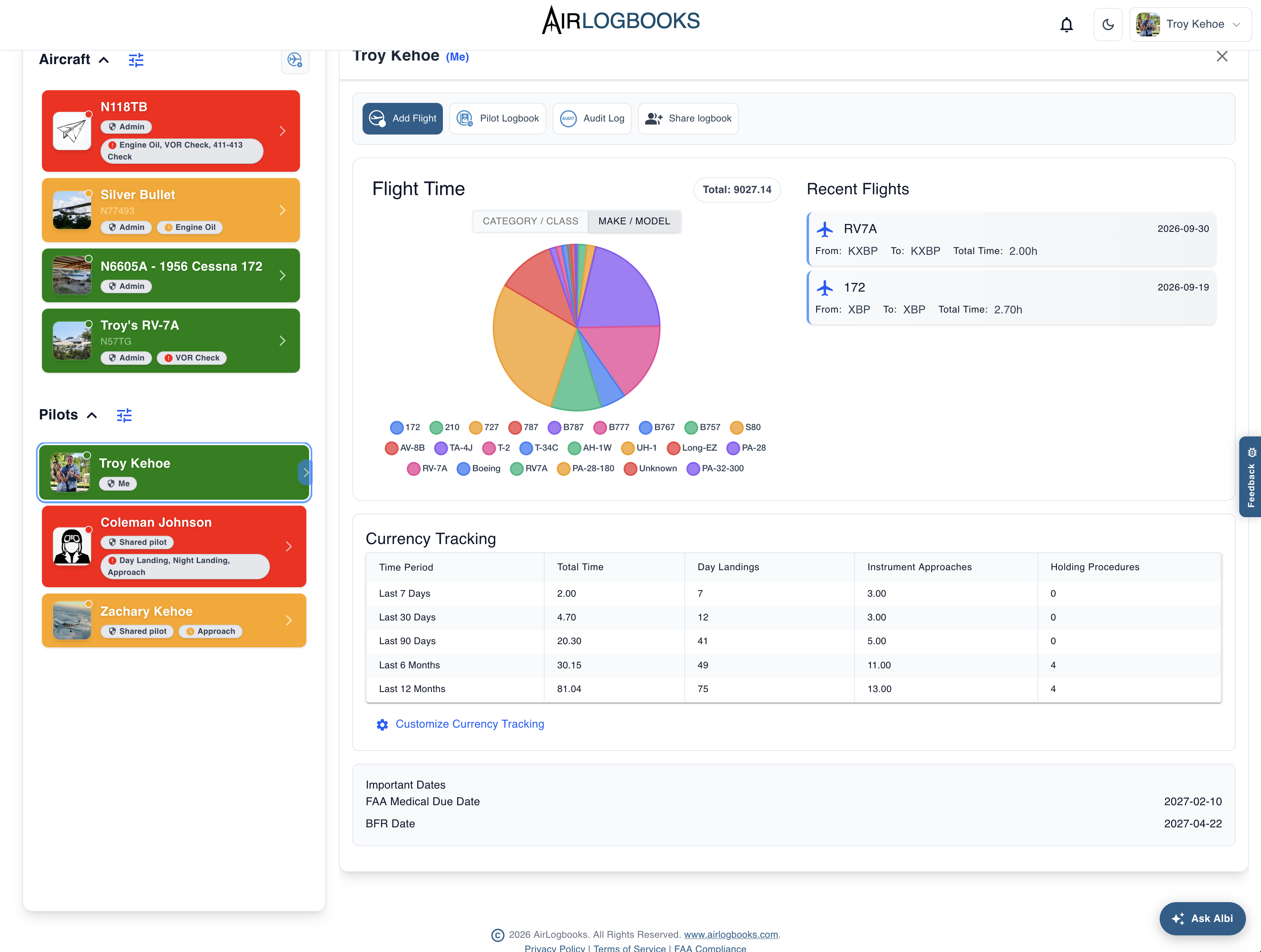
Pilot status — clear at a glance.
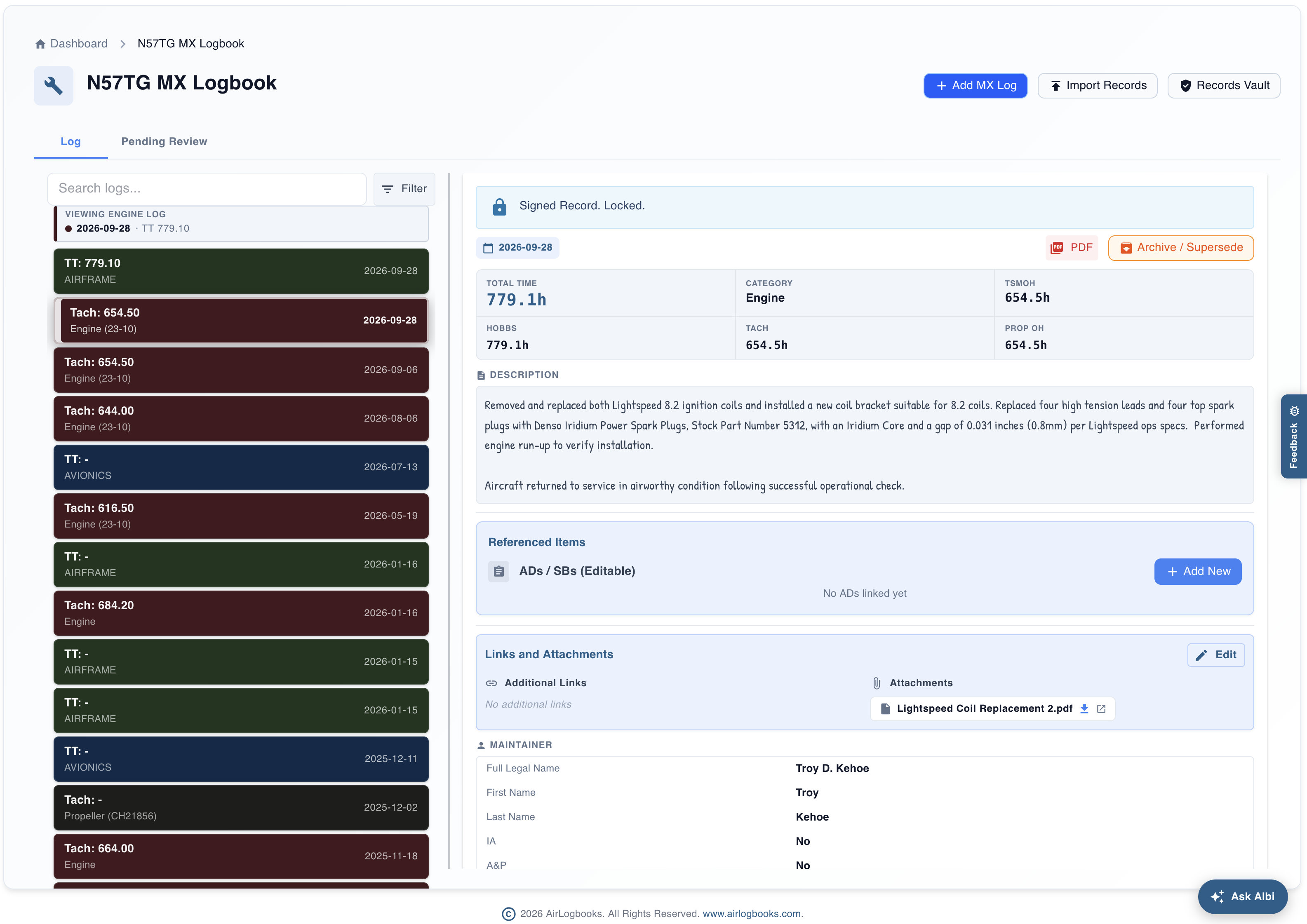
Maintenance entries and supporting records, together.
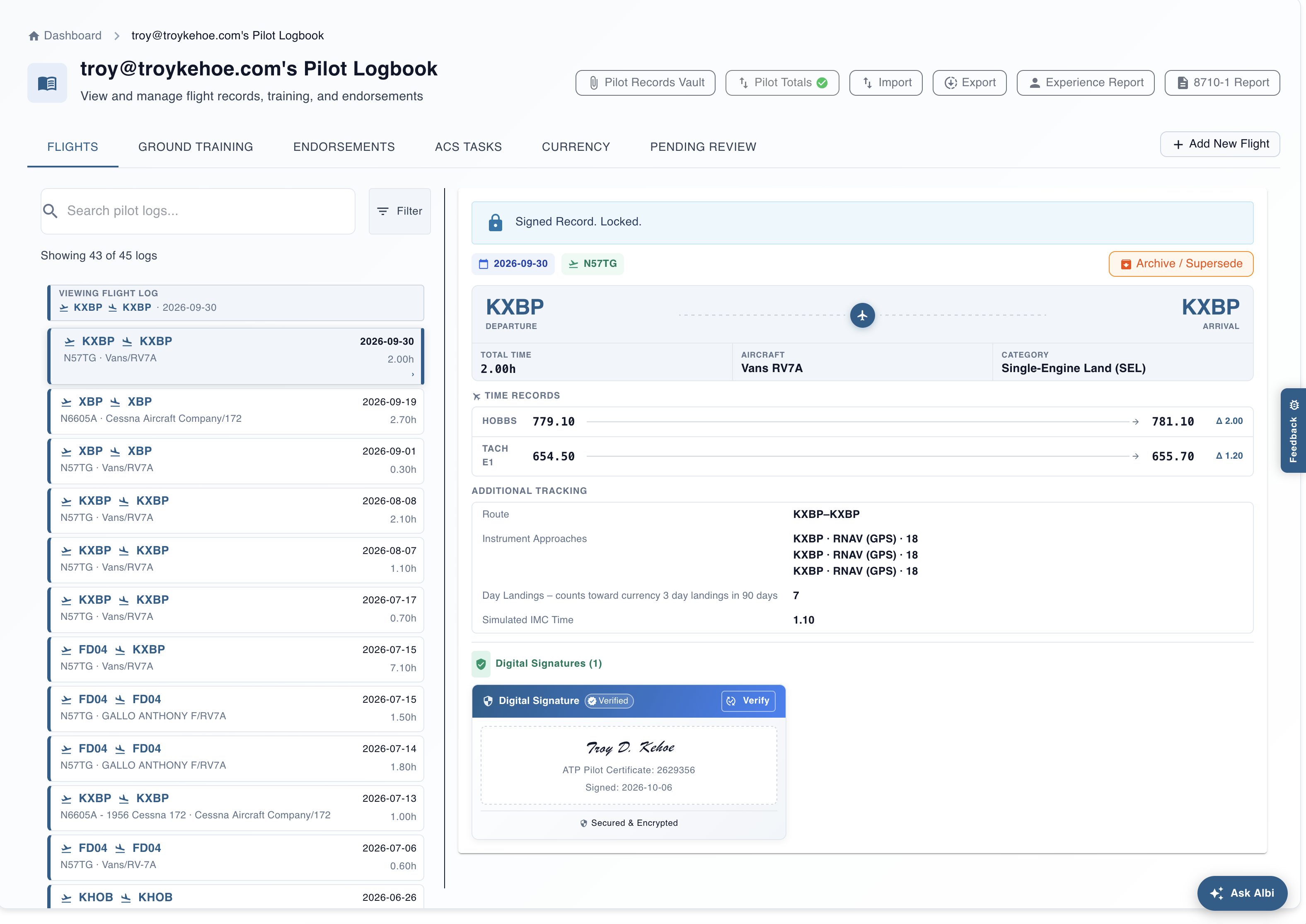
Flight entries and experience, together.
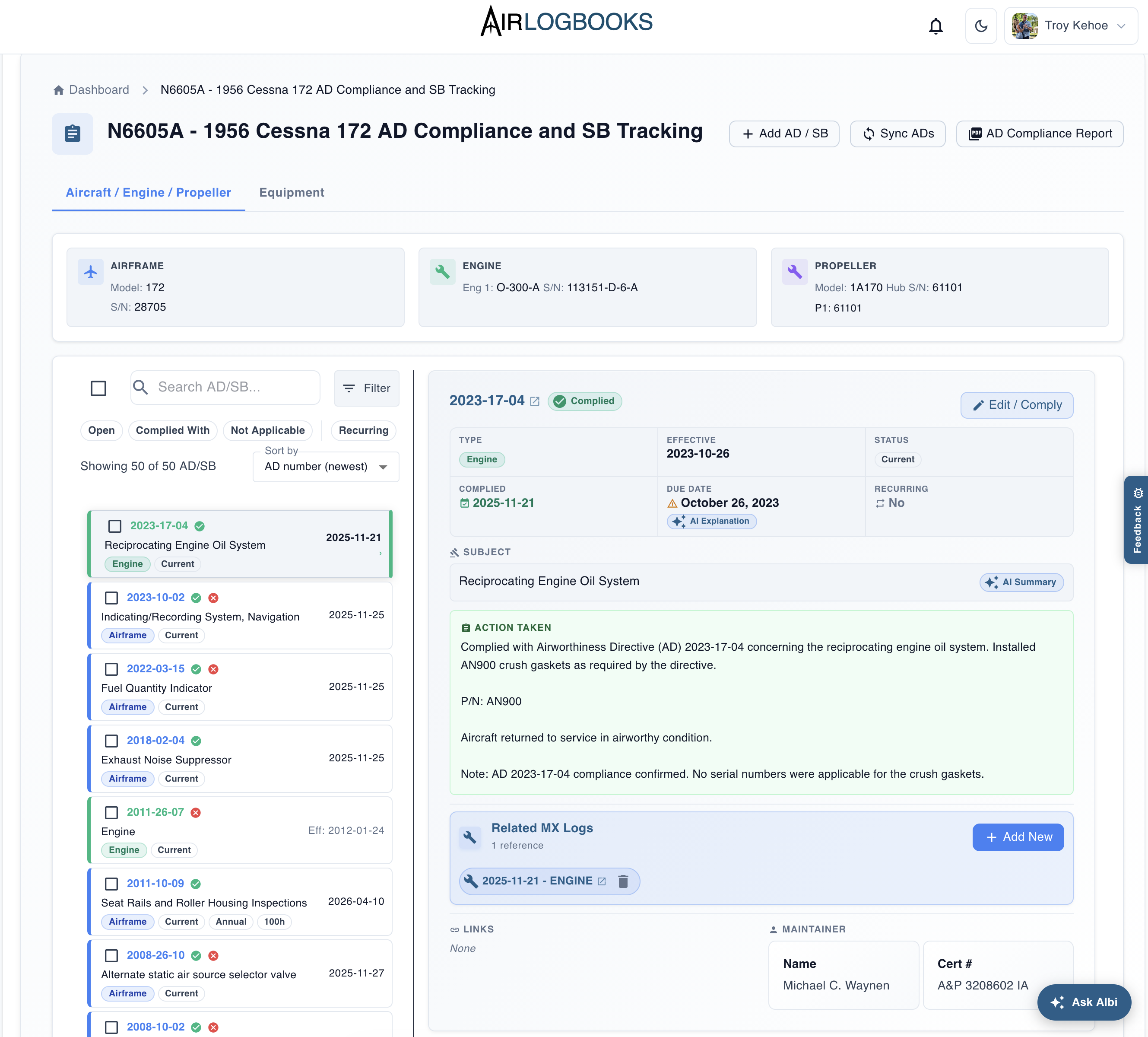
Compliance records and related maintenance, together.
Download a sample AD compliance report (PDF)
Sample report for N6605A · October 7, 2026.
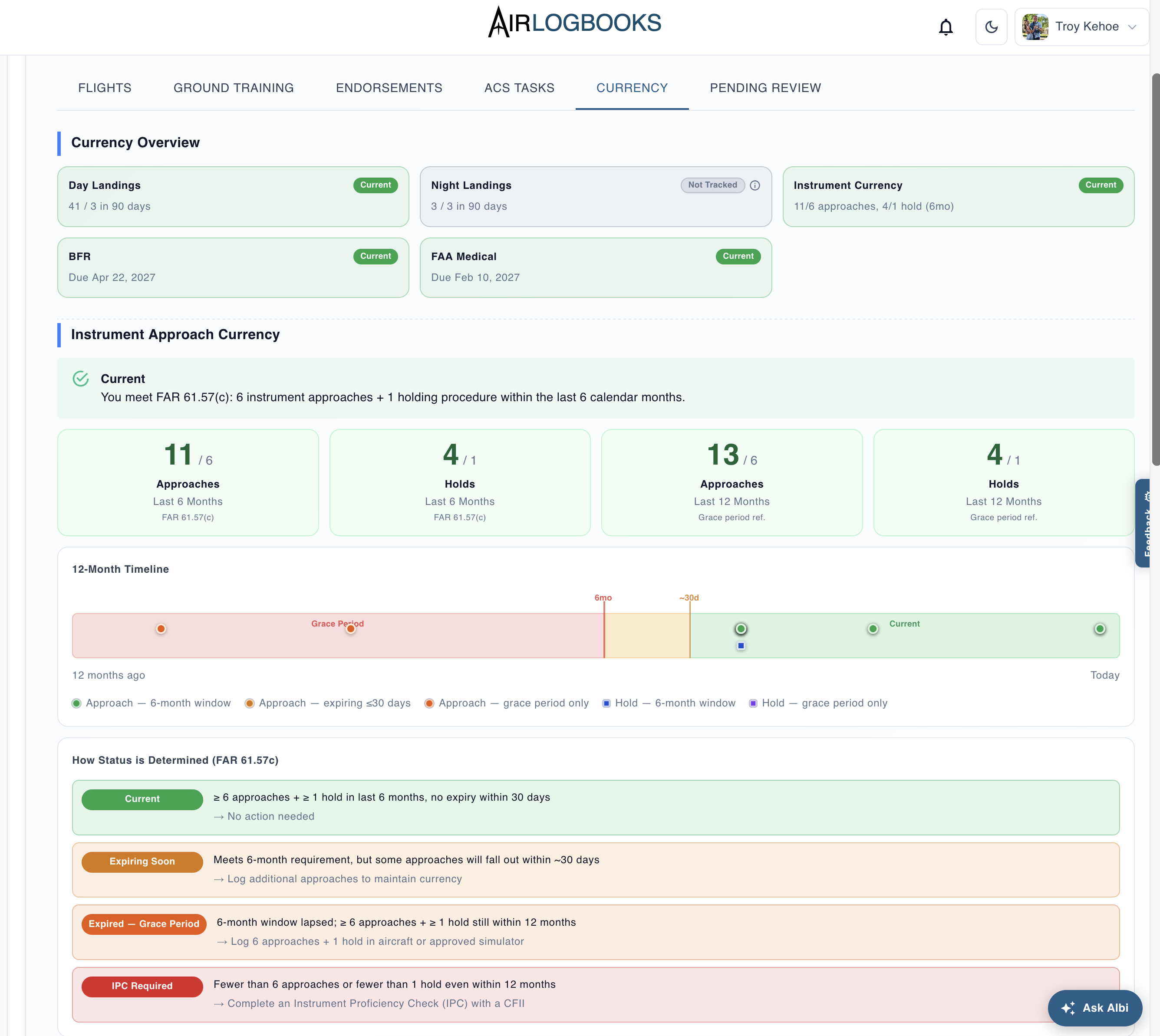
See your currency status and recent activity.
See how AirLogbooks handles airworthiness directive tracking.
Your aircraft history, one question away. Ask in plain language, and Albi searches your AirLogbooks records to help you find equipment details, maintenance history, and supporting information—with references back to the records.
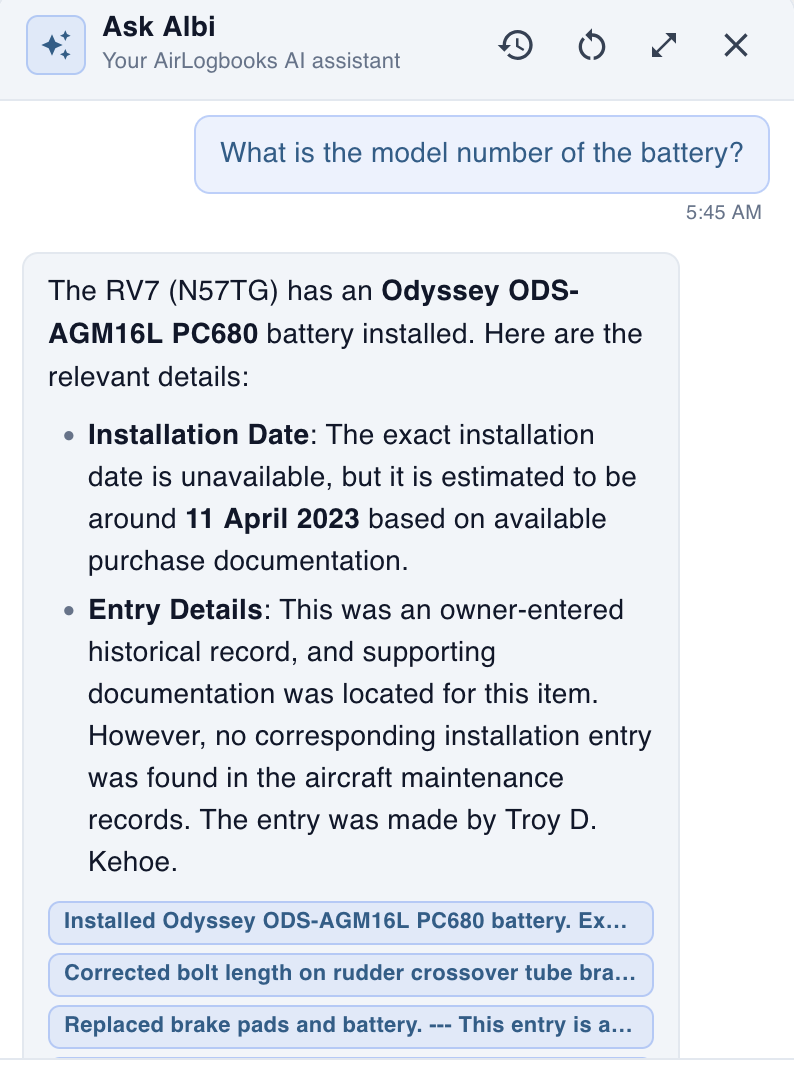
Find the model number and the available purchase and maintenance history.
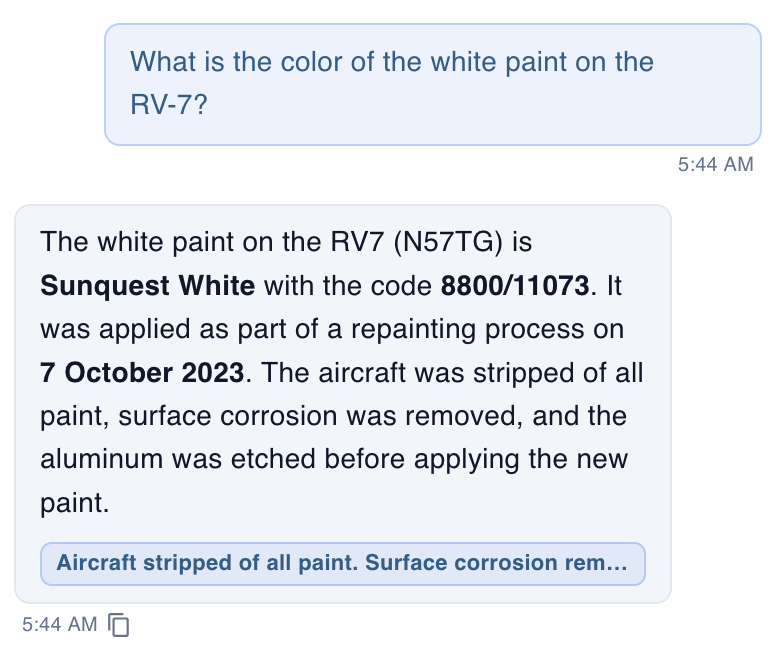
Find the paint name, color code, and recorded refinishing work.
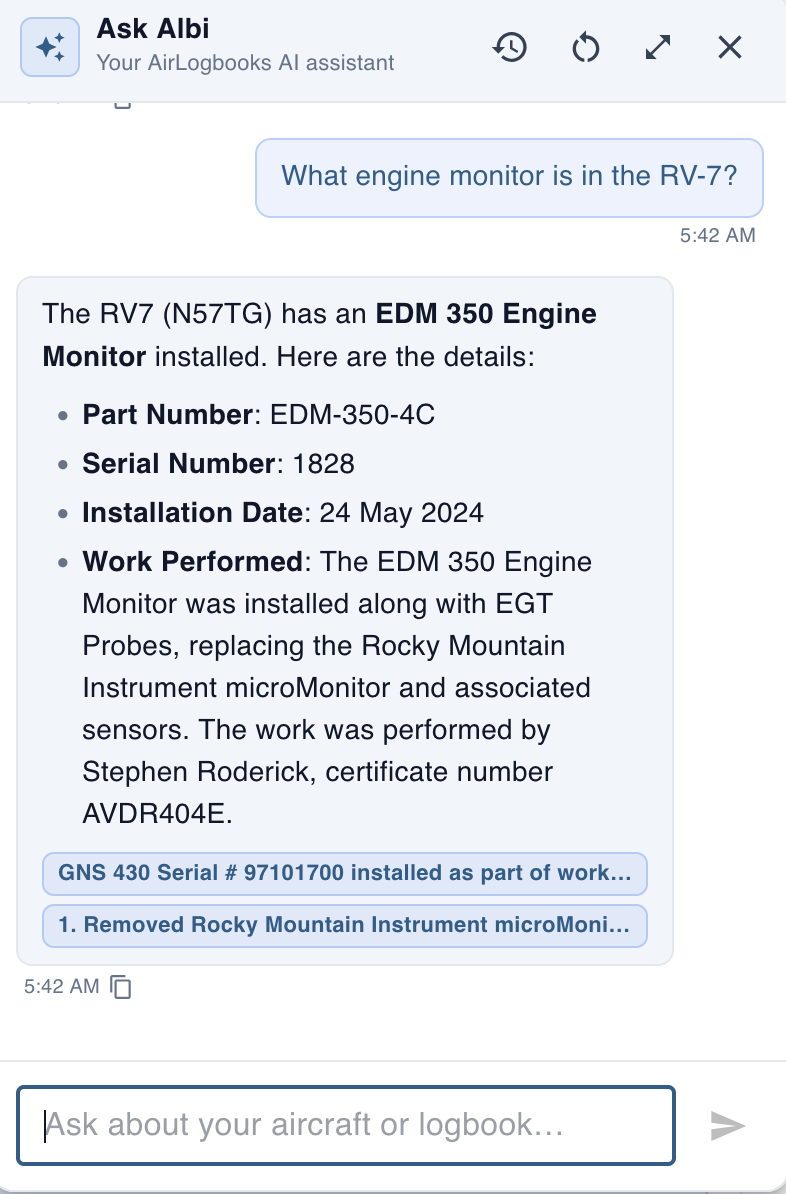
Find equipment details, installation history, and related logbook entries.
Real questions and answers from N57TG, the AirLogbooks Flagship. Click any example to read it full size.
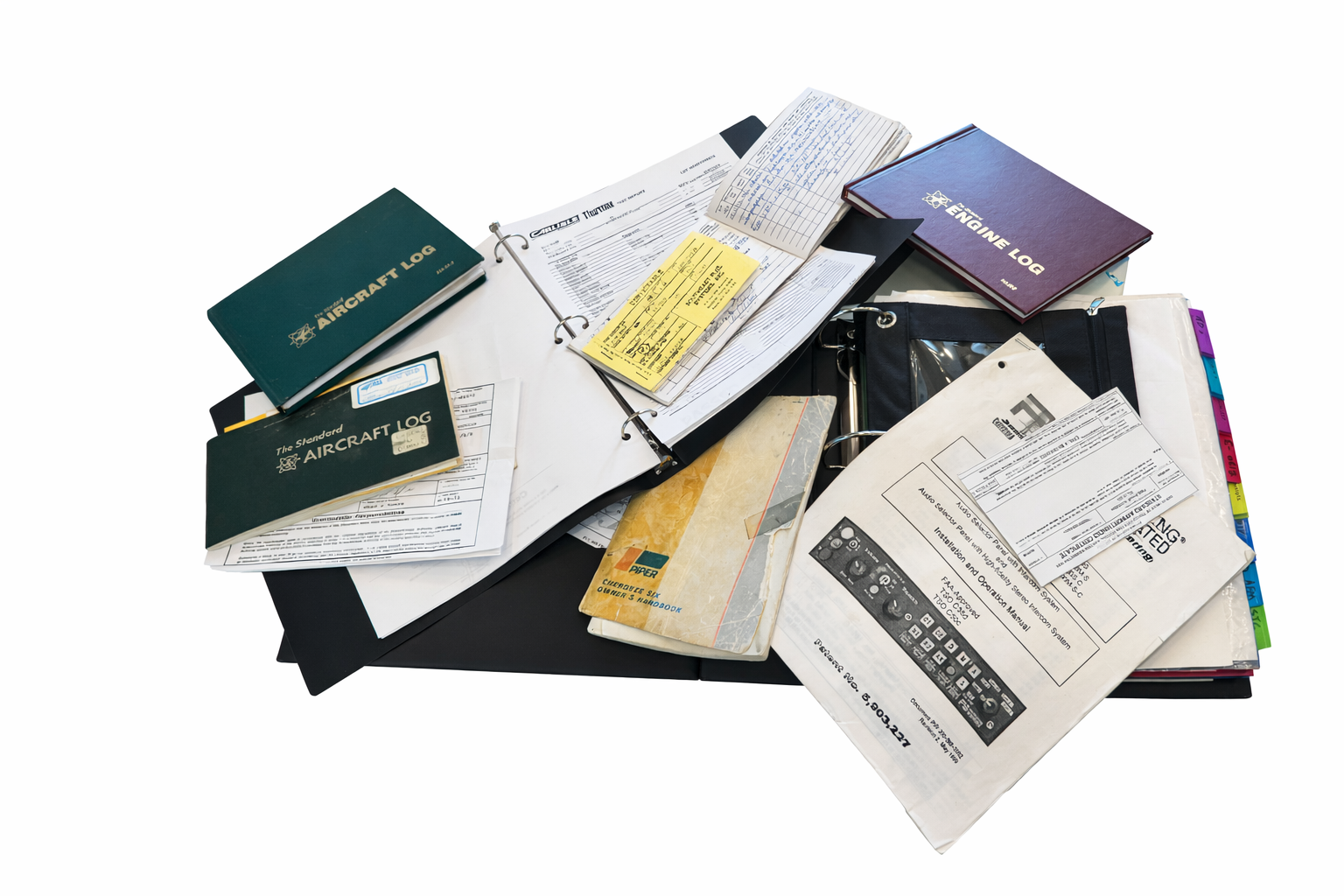
From paper chaos to digital clarity.
The conversations at AirVenture confirmed what we've believed all along: aircraft owners are ready for a better way to manage their records.
Thank you to every owner, pilot, mechanic, flying club, and flight school who stopped by our booth. Your enthusiasm, insights, and support continue to shape the evolution of AirLogbooks.
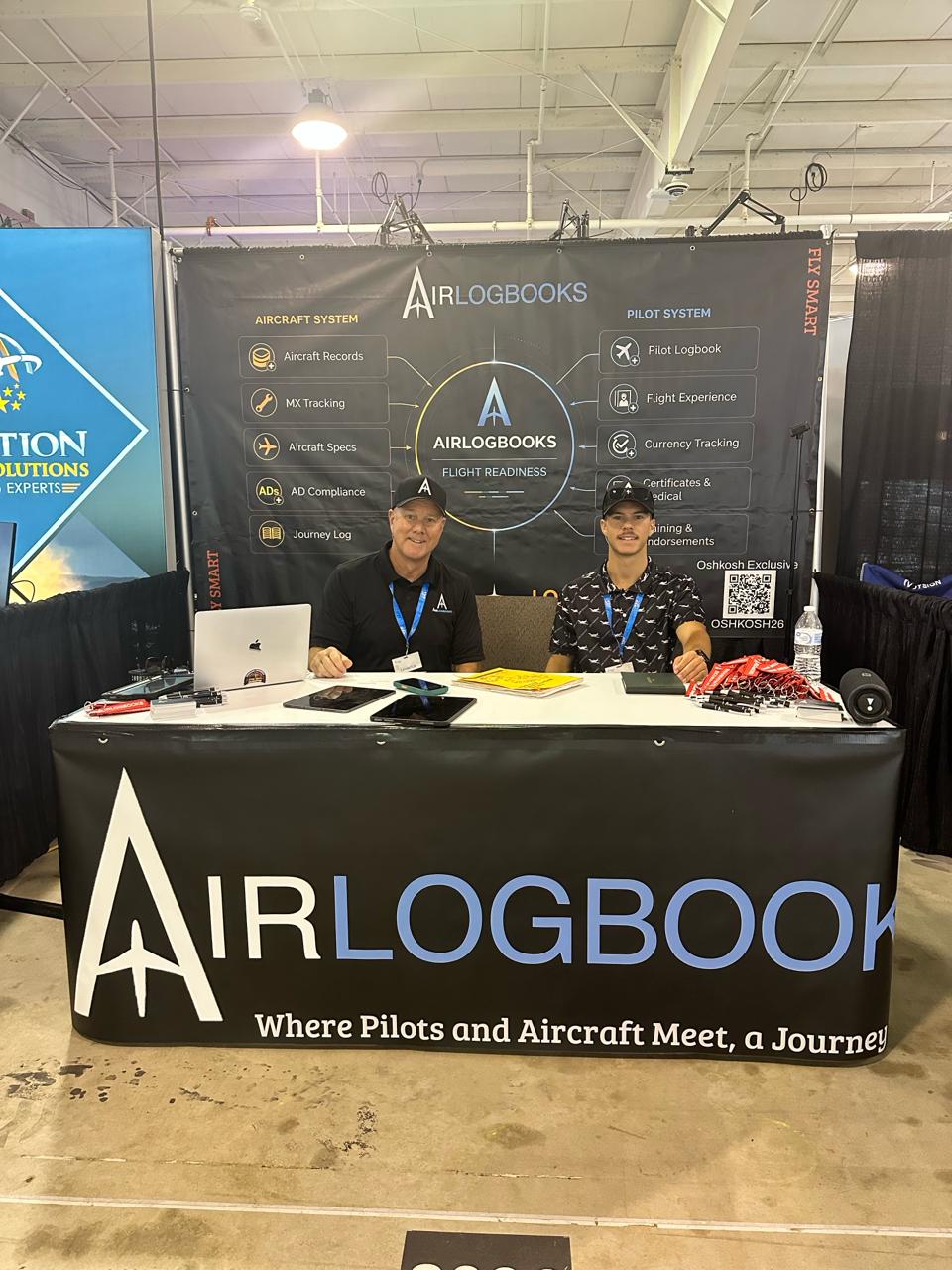

Logbooks. ADs. 337s. Yellow Tags. Invoices.
Scattered records make it hard to know where you really stand.
Perfection is impossible. Precision is the goal.
AirLogbooks brings aircraft and pilot records together in one clean, reliable system so everything is organized, current, and easier to trust.
Share a public record link with buyers and partners, or invite pilots and mechanics to access your aircraft in AirLogbooks. Choose what appears on the public link and manage access from one place.
Explore N57TG — the AirLogbooks Flagship ↗
A real aircraft using AirLogbooks. Status and compliance details may change as the aircraft continues operating.
This publicly shared record is read-only. Record entry and updates are limited to authorized users.
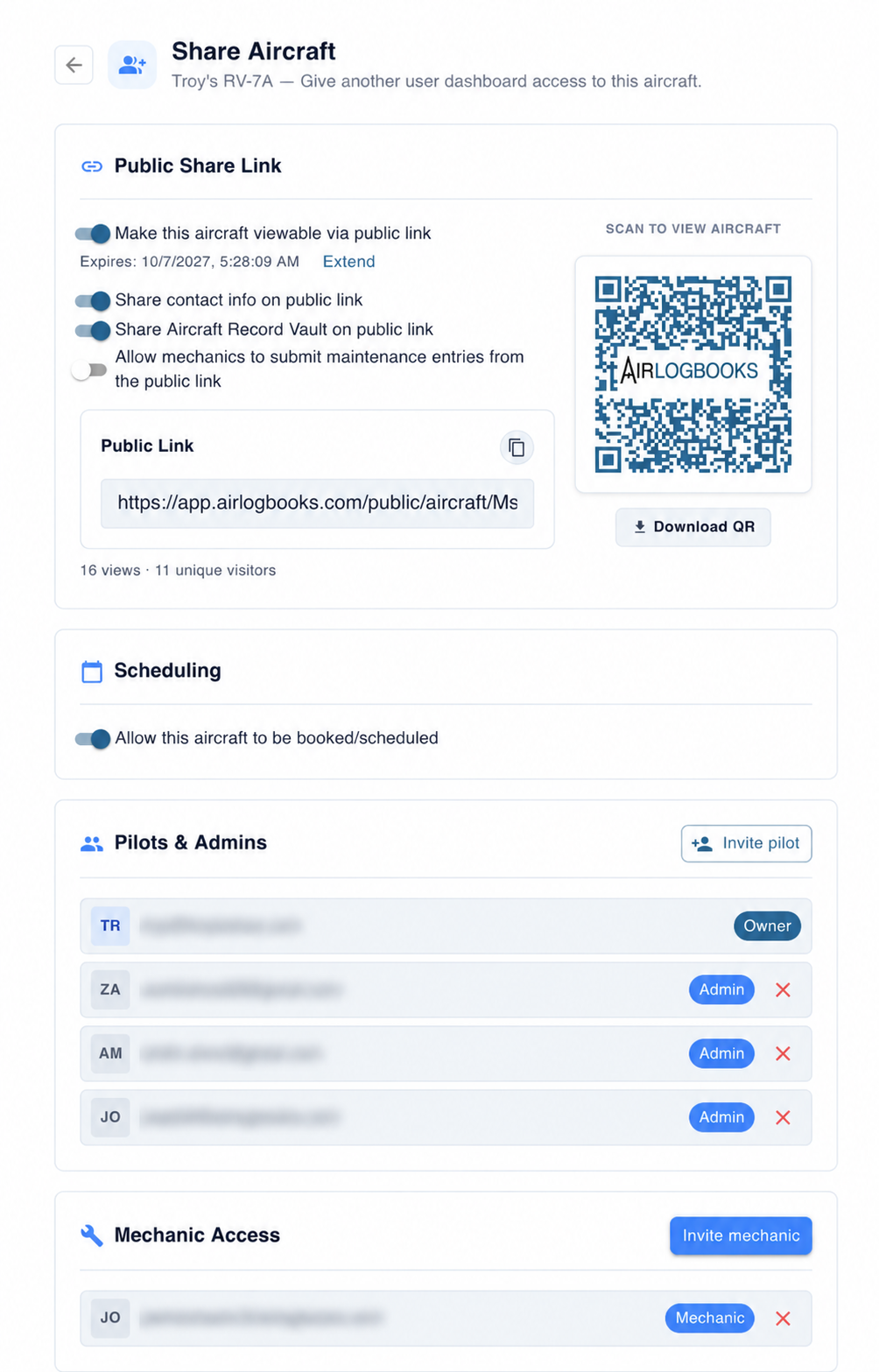
Public sharing and invited access, managed together. Click to view full size.
Everything in aviation is expensive enough already. We wanted to create a tool that pilots, owners, and mechanics could actually afford without needing to sacrifice the cool stuff, like avionics and speed mods.
Here’s the thing: You’ll probably spend more on your next $100 hamburger flight than you will on a whole year of AirLogbooks. And that’s exactly the point—keeping your aircraft compliant and your logbooks pristine shouldn’t feel like another luxury expense.
By keeping the price reasonable, we aim to make AirLogbooks accessible to everyone, from weekend warriors flying their Piper Cherokee to fleet managers handling multiple aircraft. It’s about removing barriers, not adding another line to your aviation expense spreadsheet.
Besides, wouldn’t you rather save your money for the things that really matter—like a new headset, upgraded avionics, or maybe just that third cup of FBO coffee?
If your current setup involves a stack of coffee-stained logbooks, a spreadsheet that hasn’t been updated since the last airshow, or your mechanic’s ‘memory,’ we’ve got you covered.
AirLogbooks takes the chaos out of aviation record-keeping. No more flipping through pages to find your last annual, guessing when your next AD compliance is due, or realizing mid-flight that your logbook is sitting on the kitchen counter. Everything is in one place—digital, organized, and accessible from anywhere.
AirLogbooks automates the stuff you don’t want to deal with. AD compliance? Tracked and reminded. Squawks? Logged and shared instantly with your mechanic. Flight hours? Calculated for you.
You do. AirLogbooks does not claim ownership of your logbooks, maintenance records, uploaded documents, or personal information.
We provide the platform that stores, organizes, and helps you manage that data. You can download your aircraft records using the built-in Export feature and keep a copy outside AirLogbooks.
Your records remain yours. Before cancelling, use the built-in aircraft Export feature to download your maintenance logbook, AD compliance, squawks, and scanned documents as a single file.
After cancellation, our retention policy provides up to 90 days for retrieval and export, subject to the conditions in our Terms of Service. If you need help retrieving records, contact us.
After that 90-day window, data may be archived or removed in accordance with our retention practices.
If AirLogbooks were ever going to shut down, we would aim to give customers 90 days advance notice, where reasonably possible, so they have time to export or retrieve their records. You can also use the built-in aircraft Export feature now and keep an independent backup; you do not have to wait for a service change.
If AirLogbooks changes ownership, customers still own their records. A new owner could operate the platform, but would not take ownership of customer logbooks just because the company changed hands.
AirLogbooks takes over the heavy lifting, but there’s a little setup involved. Think of it like a preflight: get everything dialed in, and the rest of the journey is smooth.
Once you input the key data—like your aircraft registration, total time, last annual, and AD compliance details—AirLogbooks automates the rest. From flights and squawks to ADs and maintenance, it keeps everything organized and ready when you need it.
For those who don’t have the time to handle setup, we offer a Custom Setup Service on a case-by-case basis.
No online system can honestly promise perfect security, but we take protecting customer records seriously.
AirLogbooks is actively maintained and updated frequently. The platform runs on Google Cloud infrastructure, and we rely on that environment for core hosting and platform-level resilience.
We limit access to customer data to what is needed to operate and support the service, and customers control who they authorize inside the app.
Whether you’re flying a vintage taildragger or a newly minted turboprop, AirLogbooks is built to work with all aircraft—regardless of age.
Older aircraft often come with unique maintenance histories and quirks, and that’s exactly where AirLogbooks shines. By entering key data like total time, last overhaul, and compliance records, you’ll have everything organized and accessible in one place.
Not at all—how much history you upload is entirely up to you.
You can keep it simple and start fresh by logging new flights and maintenance moving forward. Or, if you want to build a complete digital archive, you can backfill key data from previous entries or upload images and PDFs of your older logbooks to preserve them digitally.
Absolutely. AirLogbooks allows you to attach photos and documents directly to individual maintenance records or as part of your overall logbook library.
If you've completed a modification under an STC, you can upload the relevant documentation and photos directly to that specific maintenance entry. General documents can also live in your logbook library for comprehensive record-keeping.
AirLogbooks keeps mechanics, owners, and pilots in sync by automatically updating maintenance times after every flight.
Absolutely. AirLogbooks is built to handle multiple aircraft with the same ease and organization as managing one.
You can track all your aircraft in one centralized system, with at-a-glance dashboard status updates for maintenance timelines, AD compliance, and airworthiness status.
Absolutely. From routine oil changes to annual inspections and AD compliance, AirLogbooks tracks what’s due so you don’t have to.
With the at-a-glance dashboard, you’ll see what’s due soon, what’s overdue, and what’s already done—without flipping through pages of logbooks or trusting your memory.
Yes. Open your aircraft’s Airworthiness Control Data, select Export, then click the Export button. The built-in feature downloads the aircraft’s maintenance logbook, AD compliance, squawks, and every scanned document as a single file.
Keep that download as an independent backup, or take your aircraft records with you if you leave AirLogbooks. For help retrieving other account data, contact us.
Yes. Pilots can log squawks directly in the system and assign priority levels, feeding the dashboard and making urgency visible.
Mechanics can see those details immediately, decide how they should be handled, and keep owners and pilots informed as squawks are resolved or closed out.
Already have your logbooks as PDFs? That’s a start. AirLogbooks turns scanned pages into organized entries, connects supporting documents, and makes your aircraft’s history easier to search and use—while keeping the original scans alongside the records.
Keep the originals. Put the information to work.
Upload scanned PDFs to Wilbur, our logbook digitization service. We’ll review the material and provide a quote before work begins.